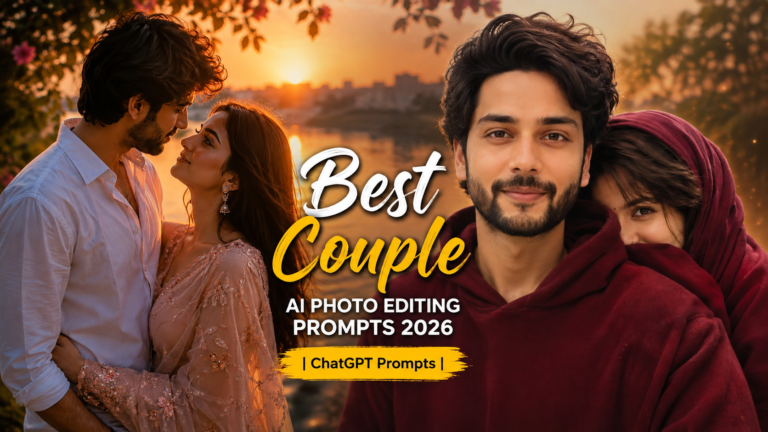
Want to turn a simple couple photo into a beautiful romantic scene? The Cinematic Romantic Couple Photo Editing Prompt 2026 can help you create a soft, emotional, and natural-looking couple picture with better lighting, a beautiful background, and a movie-style feel.
This guide includes a ready-to-use prompt, easy editing steps, tips for realistic results, common mistakes, and creative ideas you can try with your own couple photos.
What Makes a Romantic Couple Photo Special?
A good romantic photo is not only about adding effects. The lighting, pose, background, colors, and expressions all work together to create the mood.
Soft sunlight, warm colors, gentle shadows, and a clean background can make a simple couple picture look much more attractive. The most important part is keeping the people in the photo natural instead of making the image look heavily edited.
Best Cinematic Romantic Couple Photo Prompt
AI Image Prompt
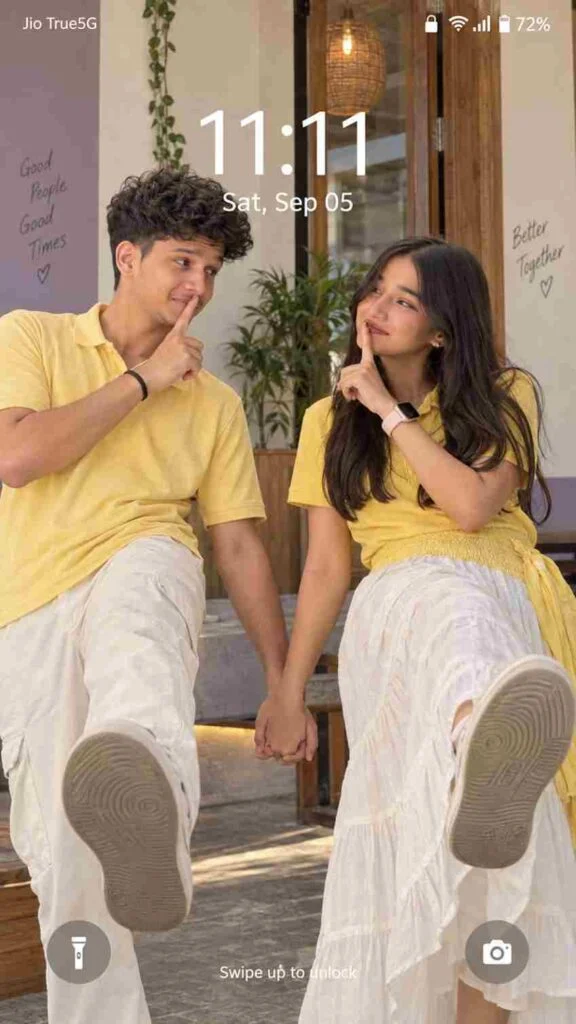
Ultra-realistic 9:16 Android lock-screen photo matching reference. South Indian couple FACING EACH OTHER, man LEFT, woman RIGHT, bodies leaning AWAY, inner hands clasped CENTER, free index fingers on OWN lips, warm “shhh” smiles. NOT sideways: each kicks ONE LEG STRAIGHT FORWARD toward CAMERA, mirrored pose, exact balance. Man: messy black wavy hair, yellow polo, cream trousers, black wristband/bracelet, shoes. Woman: loose dark wavy hair RIGHT, yellow polo, voluminous white/off-white skirt with yellow waist/right section, pale-strap smartwatch, shoes. Natural faces/pores, perfect anatomy. Warm cream/lavender/wood background, daylight.[Lock screen: “11:11”, “Sat, Sep 05”], flashlight, camera, Android icons. Real photo, NOT wallpaper. Negative: sideways kick, side-by-side, distortion, wrong hands, extra fingers/limbs, twisted anatomy, artificial skin, smoothing, CGI/3D/cartoon
AI Image Prompt
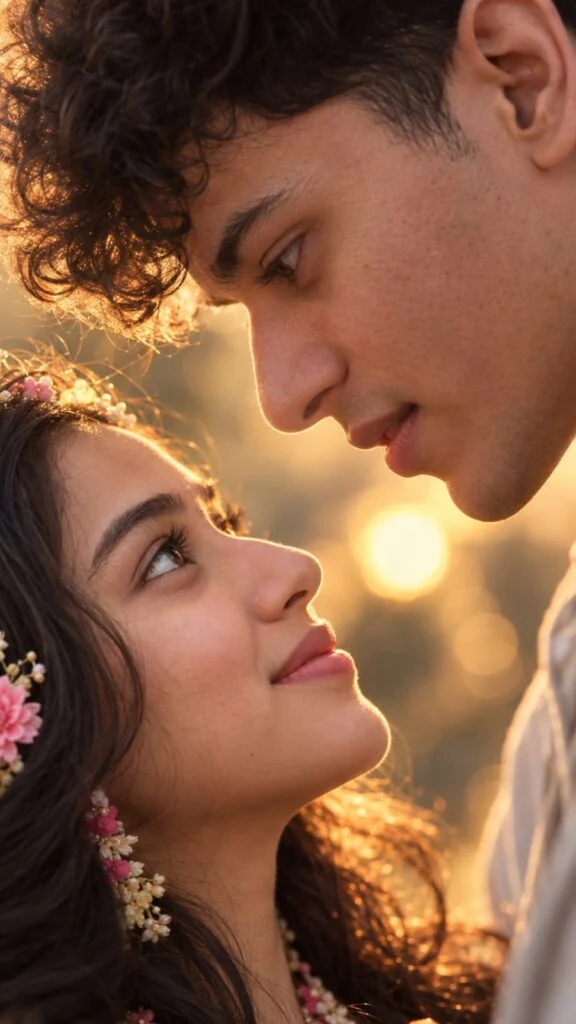
Create an ultra-realistic, highly detailed vertical 9:16 romantic close-up portrait of a young adult couple, inspired by the reference image.
Show only an extreme close-up of their faces in opposite orientations, with their eyes meeting intimately in the center of the frame. The man is positioned above and the woman below, both faces tilted naturally toward each other. Capture their eyes, eyelashes, eyebrows, skin texture, and subtle facial details with exceptional realism.
Use warm cinematic skin tones, soft natural lighting, shallow depth of field, and beautiful golden bokeh lights in the background. The composition should feel intimate, emotional, elegant, dreamy, and romantic.
Keep the framing tight and artistic, with the eyes as the main focal point. Natural skin texture, realistic pores, detailed eyelashes, authentic facial proportions, soft highlights, cinematic color grading, professional photography, 85mm macro-lens look, ultra sharp eye details, soft background blur, IMAX-level realism, high dynamic range, 8K quality.
No text, no watermark, no distortion, no extra facial features, no artificial-looking skin.
Vertical smartphone wallpaper composition, 9:16 aspect ratio.
Use the uploaded reference photos to preserve both individuals’ exact facial identity, facial features, skin tone, hairstyle, and natural appearance. Do not change or beautify their faces.Make them strictly face-to-face, with their eyes directly meeting each other in the center
Why Should You Try These Prompts?
These prompts make ordinary photos look more attractive, professional, and trendy without advanced editing skills. They are easy to use and perfect for social media photos.
Easy to use: Copy the prompt and apply it to your photo.
Save time: Get your desired editing style without making every change manually.
Realistic results: Help create natural lighting, details, and textures.
Professional look: Make simple photos look more polished and cinematic.
Try new styles: Experiment with romantic, aesthetic, trendy, or cinematic looks.
Social media ready: Great for Instagram, Pinterest, Facebook, and profile photos.
How to Use the Romantic Couple Photo Prompt
Follow these simple steps to get a better result:
Choose a clear couple photo with good lighting and visible faces.
Upload the photo to your preferred photo editing tool.
Copy the complete prompt given above by Promote Seen.
Paste the prompt into the editing box.
Generate the edited image and check the faces and background.
If needed, adjust the lighting or background and create another version.
Save the final image in high quality.
Best Photo Poses for This Style
This prompt works well with different romantic poses, including
The Cinematic Romantic Couple Photo Editing Prompt 2026 is a simple way to give an ordinary couple photo a beautiful, romantic, and movie-style appearance. With soft lighting, natural colors, and a suitable background, you can create an image that feels warm and memorable.
For the best results, always start with a clear original photo and avoid adding too many effects. Keeping the faces, expressions, and natural details unchanged will help the final picture look realistic and professionally photographed.
Frequently Asked Questions
They are ready-made instructions that help create stylish and realistic photo edits.
They save time and make it easier to create trendy and professional-looking photos.
Yes, they are suitable for Instagram, Facebook, Pinterest, and other platforms.
Copy the prompt, upload your photo to an AI editing tool, and apply the instructions.