Awarapan 2 Movie AI Photo Editing Prompts 2026

Movie-style photo edits are getting a lot of attention on Instagram and other social platforms. A simple portrait can now be turned into a dramatic poster with the right prompt, lighting, and composition.

Awarapan 2 Movie AI Photo Editing Prompts are made for creators who want a dark, emotional, and cinematic Bollywood-style look. The edit can include moody backgrounds, dramatic shadows, film-style color grading, and a strong poster composition.

You do not need advanced editing skills. A good reference photo and a well-written prompt can do most of the work. Similar AI editing trends use tools such as ChatGPT and Gemini to create realistic movie-poster effects from ordinary photos.
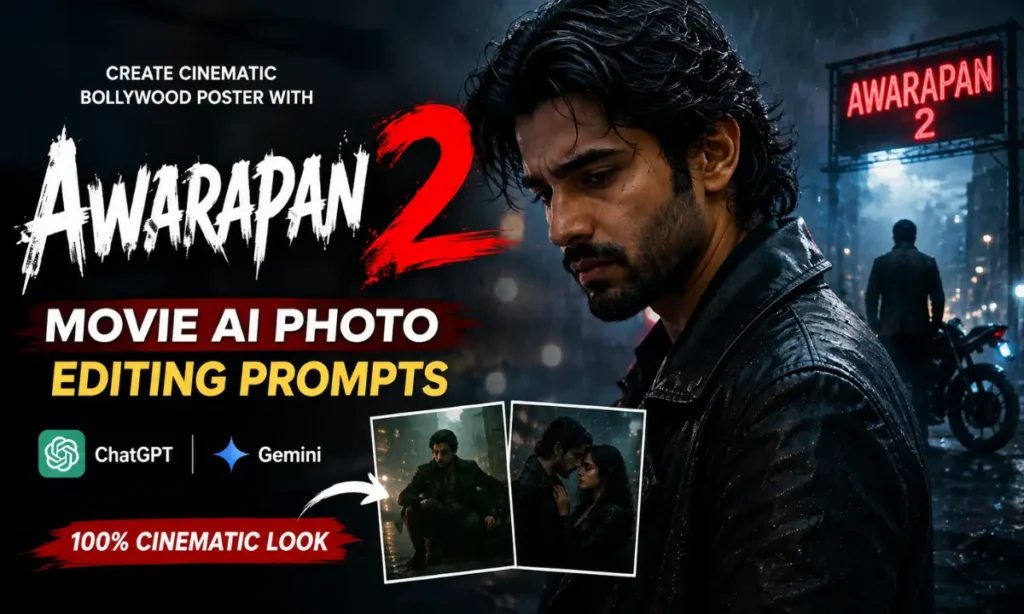
Awarapan 2 Movie AI Photo Editing Prompts

What Are Awarapan 2 Movie AI Photo Editing Prompts?

These prompts tell an image-generation or editing tool how to transform your photo into a cinematic movie-style image.

The main idea is to keep your face recognizable while changing the mood, setting, lighting, and overall composition. You can create a dark romantic poster, emotional portrait, or dramatic Bollywood-style scene.

The best results usually combine cinematic lighting, realistic skin texture, shallow depth of field, dramatic shadows, atmospheric backgrounds, and high-detail photography. These elements are also common in current viral cinematic editing prompts. Also check: Prompt Seen & Aesthetic Sunlight AI Photo.

Best Awarapan 2 Movie AI Photo Editing Prompts

1. Cinematic Awarapan 2 Movie Poster Prompt

This is a good choice if you want a classic movie-poster appearance. Use a clear portrait where your face is easy to see.

AI Image Prompt
Use my uploaded photo as the main facial reference. Preserve my exact facial identity, facial structure, skin tone, hairstyle, beard, eyes, and natural features. Do not change or beautify my face. Transform the image into a dark and emotional Bollywood movie poster inspired by the dramatic mood of Awarapan 2. Place me in a cinematic night setting with a deep black and muted blue background, subtle mist, soft atmospheric light, and dramatic shadows. Give me a serious and emotional expression. Use realistic skin texture, natural body proportions, detailed clothing, shallow depth of field, professional DSLR photography, cinematic color grading, subtle film grain, volumetric lighting, high dynamic range, realistic highlights and shadows. Create a premium theatrical poster composition with strong visual depth. Photorealistic, ultra-detailed, natural face, 4K quality, vertical 4:5 composition.

2. Dark Romantic Movie Poster Prompt

Want something more emotional? This version works well for romantic portraits and couple edits.

AI Image Prompt
Create a realistic cinematic Bollywood movie poster using my uploaded photo as the facial reference. Keep my face, facial structure, skin tone, hairstyle, and natural identity unchanged. Place me in a dark romantic night environment with soft rain, wet streets, distant warm lights, and a subtle blue-black atmosphere. Add a deep emotional expression and natural body posture. Use soft rim lighting around the face and shoulders, realistic reflections on the wet ground, shallow depth of field, natural skin texture, cinematic shadows, professional photography, subtle film grain, atmospheric fog, and rich movie-style color grading. The final image should feel emotional, dramatic, realistic, and suitable for an Indian romantic film poster. Ultra-realistic details, high resolution, 4:5 portrait ratio.

3. Dramatic Action-Style Poster Prompt

For a stronger and more intense look, try this version.

AI Image Prompt
Transform my uploaded image into a powerful cinematic Bollywood movie poster. Preserve my exact face and recognizable identity without changing my facial features. Place me standing confidently in a dark urban environment at night. Add dramatic backlighting, light smoke, subtle rain particles, deep shadows, and blurred city lights in the background. Give the image a serious cinematic mood with strong contrast and realistic textures. Keep the clothing natural and detailed. Use realistic skin, accurate hands, natural body proportions, shallow depth of field, dramatic rim light, HDR photography, cinematic color grading, subtle film grain, and professional DSLR quality. Make the composition look like a high-budget Indian movie poster. Photorealistic, ultra-detailed, 4K quality, vertical 9:16.

4. Couple Movie Poster Prompt

You can also create an emotional couple poster with two reference photos.

AI Image Prompt
Combine the two uploaded reference images into one realistic cinematic Bollywood movie poster. Preserve the exact facial identity, skin tone, hairstyle, and natural features of both people. Place them together in an emotional night-time setting with soft rain, blurred city lights, atmospheric mist, and a dark cinematic background. Keep their expressions natural and emotional. Use subtle warm highlights on their faces with cool shadows around the scene. Add realistic reflections, shallow depth of field, cinematic lighting, natural skin texture, detailed clothing, soft film grain, and professional color grading. The final image should look like a realistic theatrical poster from a dramatic Indian romantic movie. High detail, photorealistic, 4K quality, 4:5 portrait composition.

How to Use the Awarapan 2 AI Photo Editing Prompts

Using these prompts is simple.

  1. Choose a clear photo with good facial visibility.
  2. Open ChatGPT, Gemini, or another compatible image tool.
  3. Upload your reference image.
  4. Copy one of the prompts above.
  5. Paste it with your image.
  6. Generate the result.
  7. If the face or background is not right, ask the tool to make a small correction.

Clear instructions about facial identity can help reduce unwanted changes. Current cinematic prompt guides also commonly recommend preserving the original face and using detailed lighting and composition instructions.

Tips for a Realistic Awarapan 2 Poster

A few small changes can make a big difference.

  • Use a sharp and clear reference photo.
  • Keep the face visible and well lit.
  • Ask for natural skin texture.
  • Mention the exact aspect ratio you need.
  • Use cinematic lighting instead of heavy filters.
  • Avoid adding too many background elements.
  • Try dark blue, black, grey, and warm light combinations.
  • Check hands and facial details before using the final image.
  • For Instagram, try 4:5 for posts or 9:16 for Reels and Stories.

Why This Cinematic Style Looks So Good

The appeal comes from the mood.

A normal portrait can feel much more powerful when it has dramatic lighting, atmospheric depth, and a strong background. Dark colors can create a serious emotional tone, while soft highlights keep the face clear.

This is also why cinematic photo editing prompts are popular among Indian creators. They can create a movie-like visual without needing a professional camera, studio, or advanced editing software. Similar prompt formats are being used for Instagram posts, wallpapers, reel covers, and other social content.

Final Words

Creating an Awarapan 2 Movie AI Photo Editing style image does not require complicated editing. The main things you need are a good reference photo and a detailed prompt.

Try different moods, poses, backgrounds, and lighting styles. A small change in the prompt can create a completely different cinematic result.

For the best outcome, focus on realistic facial details, cinematic lighting, natural expressions, atmospheric backgrounds, and clean composition. This will help your final image feel more like a polished Bollywood movie poster than a basic AI edit.
Similar Posts