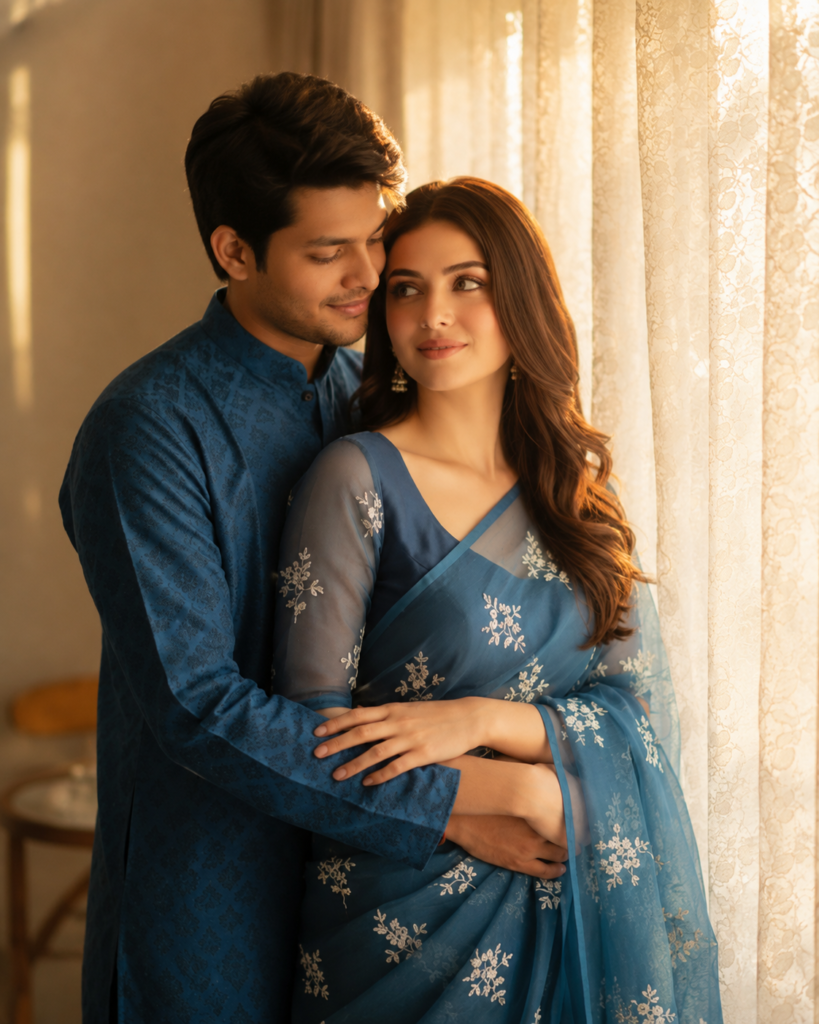
What if one simple couple photo could turn into a romantic cinematic video with natural movement, beautiful lighting, and emotional expressions? With AI video editing, you can now bring your favourite couple photos to life without needing advanced editing skills.
A well-written Romantic Couple article, AI Video Editing Prompt, tells the AI exactly how you want the photo to move and look. You can create soft eye contact, gentle smiles, flowing hair, natural body movement, cinematic camera motion, and a dreamy romantic atmosphere while keeping the couple’s original appearance intact.
In this article, we’ll share a ready-to-copy romantic couple AI video prompt, explain how it works, and show you how to get more realistic results for TikTok, Instagram Reels, YouTube Shorts, and other social media platforms.
What Is a Romantic Couple AI Video Editing Prompt?
A romantic couple AI video editing prompt is a detailed instruction that you give to an AI video generator or image-to-video tool.
The AI uses your uploaded photo as a reference and follows your written instructions to create movement.
For example, instead of saying:
“Make this photo into a romantic video.”
You can give the AI more specific instructions:
“Keep both faces unchanged, add a gentle smile, create natural eye contact, add subtle hair movement, and use a slow cinematic camera push-in.”
The second prompt gives the AI much clearer instructions, which can help produce a more controlled result.
Why Are Romantic AI Couple Videos Trending?
Couple photos are already popular on social media, but animated photos can attract even more attention because they feel more alive.
AI video editing allows you to turn an ordinary photograph into:
A romantic short video
A cinematic couple scene
A social media Reel
A TikTok video
A YouTube Short
A WhatsApp Status
A wedding-style video
A memorable photo animation
You can also experiment with different locations, lighting styles, camera movements, and moods without manually creating every effect.
Create an ultra-realistic romantic cinematic video from the uploaded couple photo. Preserve both people’s original faces, identities, skin texture, facial features, hairstyles, body proportions, clothing, accessories, and overall appearance exactly as shown in the reference image. Add subtle and natural romantic interaction, including gentle eye contact, soft smiles, relaxed facial expressions, and a warm emotional connection. Add very slight natural movement to the hair and clothing as if a soft breeze is passing through the scene. Use a slow, smooth cinematic camera push-in with realistic depth of field and subtle background motion. Add soft warm lighting, natural highlights, realistic shadows, detailed skin texture, and a dreamy romantic atmosphere. Keep the original composition and environment consistent. Avoid face distortion, unnatural body movement, extra fingers, warped hands, artificial expressions, sudden camera movements, or changes to the couple’s identity. Create smooth, realistic, high-quality motion with professional DSLR-style cinematic visuals.
AI Image Prompt
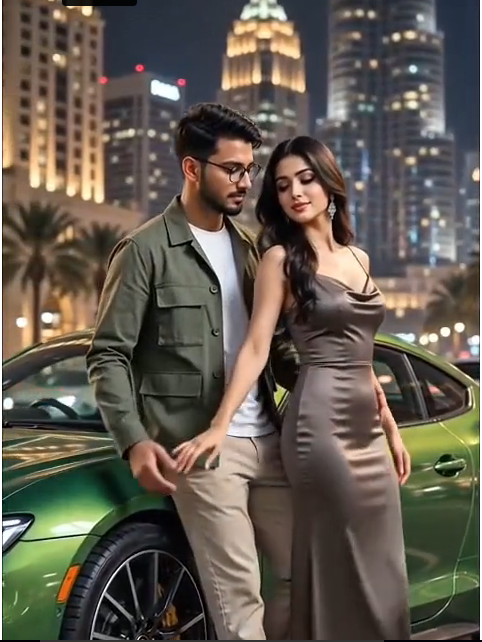
Use the uploaded male photo as the ONLY identity reference for the male. Preserve his exact face, hairstyle, body, height, proportions, skin tone and outfit. No face change, no body change, no outfit change.
Create a 14-second ultra-realistic vertical 9:16 Bollywood luxury music-video scene at NIGHT.
A metallic bright-green luxury sports car is parked in the same position throughout.
The male is already leaning back against the car from the FIRST FRAME.
ONE fictional ADULT female is extremely close in front of him. She is naturally leaning back against the male while he remains supported by the car. Keep the exact close layered composition: CAR → MALE → FEMALE.
The female remains close to the male and car for the entire shot. The male gently holds her at the waist/side. She makes the same subtle playful movement as a real Bollywood music-video performance and briefly moves his hand away. She then remains close and naturally adjusts her hair.
IMPORTANT:
NO TALKING.
NO SPEAKING.
NO LIP-SYNC.
NO CONVERSATION.
NO WALKING.
NO DANCING.
NO SEPARATING.
NO EXTRA ACTIONS.
Do not invent any new movement. Both characters should perform only subtle natural movements while maintaining the same close pose.
The male stays leaning against the SAME green car throughout. The female stays directly in front of him throughout.
Nighttime luxury city background with illuminated buildings, warm city lights, deep cinematic shadows and soft bokeh.
Camera slowly pushes in and makes a subtle sideways movement while keeping the same characters, car and background.
Real adult human appearance, natural skin texture, natural blinking, breathing, realistic hands, realistic hair and clothing movement, realistic shadows and car reflections.
Premium Bollywood music-video cinematography, photorealistic 4K, cinematic depth of field, smooth slow motion.
FINAL LOCK:
SAME MALE FACE + SAME MALE BODY + SAME OUTFIT + SAME FEMALE + SAME FEMALE OUTFIT + SAME GREEN CAR + SAME NIGHT BACKGROUND + SAME POSE.
NEGATIVE:
talking, speaking, lip movement, dialogue, walking, dancing, standing separately, changing pose, moving away from car, different car, different background, face change, body change, outfit change, identity drift, body morphing, extra people, duplicate characters, distorted hands, extra fingers, cartoon, CGI, plastic skin, AI look, camera jump, scene change, flickering, blurry frames.
How to Use a Romantic Couple AI Video Prompt
Choose a clear, high-quality couple photo.
Open an AI image-to-video tool.
Upload your couple photo.
Copy the Romantic Couple AI Video Prompt.
Paste the prompt into the AI tool.
Select your preferred video duration and format.
Generate the romantic AI video.
Check the faces, hands, clothing, and movements.
Regenerate the video if anything looks unnatural.
Add romantic music, text, or effects.
Export the final video in high quality.
Share it on TikTok, Instagram Reels, YouTube Shorts, or WhatsApp Status.
Best AI Tools for Creating Prompts and Videos
ChatGPT: Best for creating, improving, and rewriting AI video prompts.
Kling AI: Great for realistic image-to-video generation and natural movement.
Runway: Useful for cinematic AI videos and professional-looking results.
CapCut: Best for editing AI videos, adding music, text, effects, and transitions.
Pika: Good for creative AI video effects and short social media videos.
Google Veo: Useful for high-quality AI video generation from detailed prompts.
Luma AI: Great for animating photos with realistic movement and cinematic camera effects.
Midjourney: Useful for creating high-quality images that you can later animate with an image-to-video tool.
Common Problems and Their Solutions
Common Problem
Solution
Face changes
Add “Keep the original face and identity unchanged throughout the video.”
Unnatural movement
Use “subtle, smooth, and realistic movement”.
Distorted hands
Keep hand movements minimal and natural.
Background changes
Add “Preserve the original background and environment.”
Flickering
Ask for stable, consistent, and smooth motion.
Artificial expressions
Use “natural facial expressions and soft smiles”.
Clothes become distorted
Tell the AI to keep the original clothes, colours, and textures unchanged.
You don’t need complicated effects to make an attractive video.
Try these simple ideas:
Start with a strong couple photo.
Use a short video duration.
Keep movement subtle.
Use warm cinematic lighting.
Add a slow camera push-in.
Keep faces consistent.
Choose a romantic background.
Add suitable music during editing.
Add a short text overlay if needed.
Export in vertical format for short-form platforms.
Final Thoughts
Creating a romantic couple video no longer requires advanced editing skills. With a clear photo and a detailed Romantic Couple AI Video Editing Prompt, you can transform a simple image into a smooth and cinematic short video.
The most important thing is to keep the instructions realistic. Focus on natural movement, consistent faces, soft lighting, gentle expressions, and smooth camera motion instead of adding too many effects.
Copy the prompt from this guide, upload your favourite couple photo, and experiment with different romantic themes such as sunset, rain, beach, garden, or nighttime scenes.